Notepad with built in preface stamp

- Is there a way to add a "notepad field" like we use to have in a old CRM that would automatically separate notes and preface them with a stamp which included; the date, the time and the initials of person making the entry?
- Then it would be great if there was also a way to make this “notepad” roll up into the main prospects communication log?
0
-
Official comment

Hi Tom,
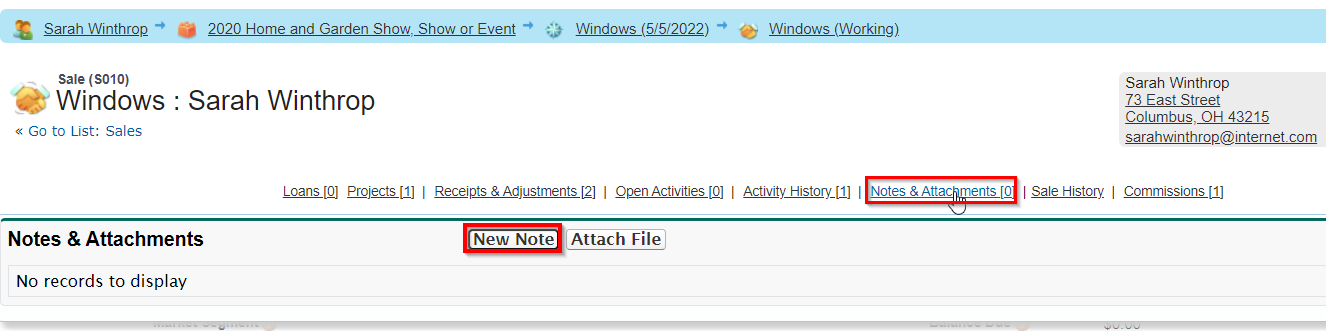
This is precisely what the 'Notes' feature does. From any page, hover over "Notes and Attachments", then click the New Note button.
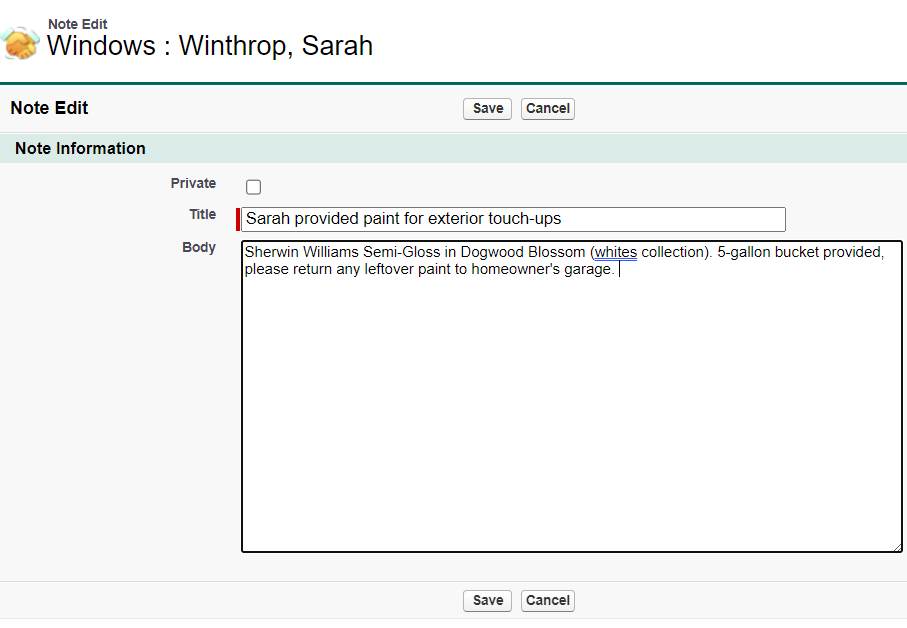
Enter the details of the Note:
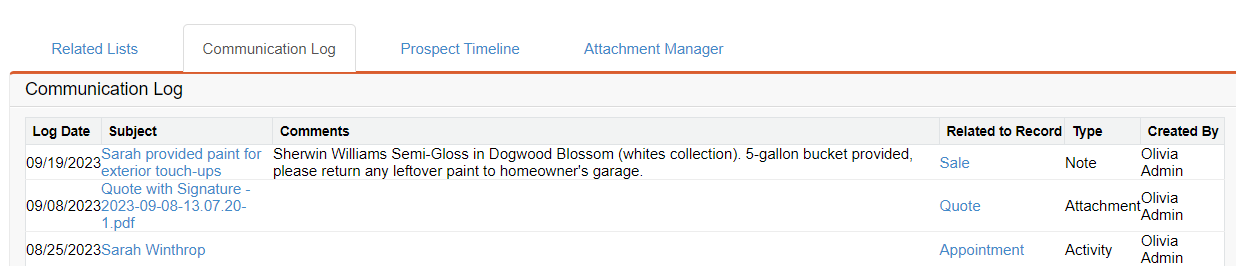
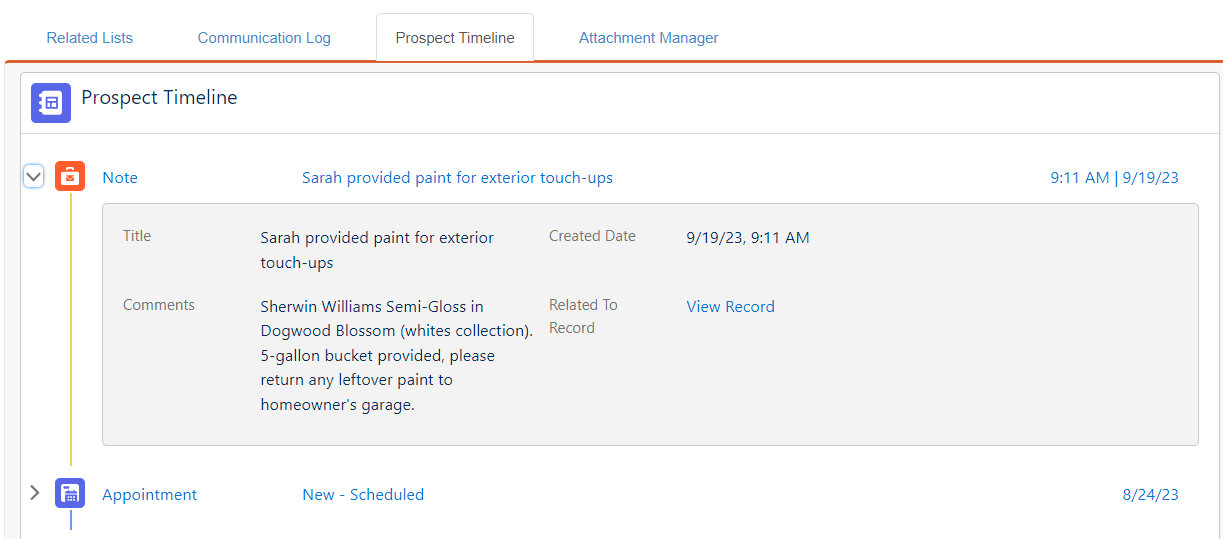
In my example, I've entered this Note on the Sale record. When I navigate to their Prospect page, this Note is visible (with a Date stamp and who created it) in the Communication Log as well as the Prospect Timeline.
Here is what the Note looks like from the Prospect Timeline:
I hope this is helpful.
Best,
Emma Heiberger, Training Specialist
Please sign in to leave a comment.
Comments
1 comment