Lock i360 Access If Appointments are Not Resulted

Our old CRM software allowed us to set a date to where a sales rep or crew could not see or access any future appointments or installs unless they had their resulting done. Our time frame was 4 days and it would lock them out until their work was completed. Is this a feature that could be added?
-
Official comment

The System Administrator User can "lock" or Freeze any User, preventing them from logging in. Only the Admin User will be able to UnFreeze the User to restore their access.
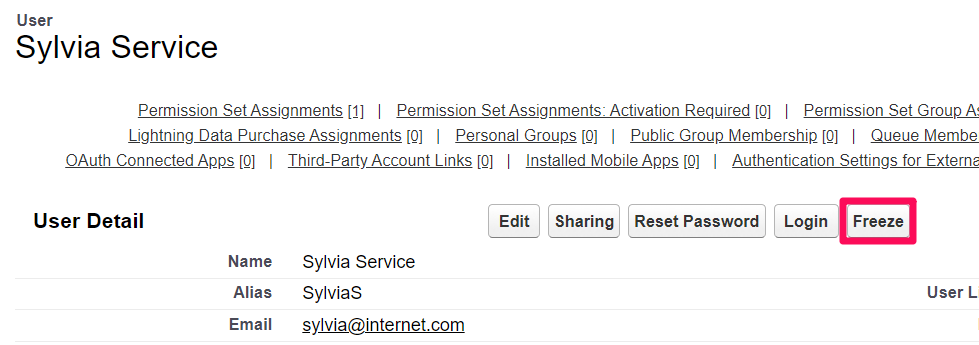
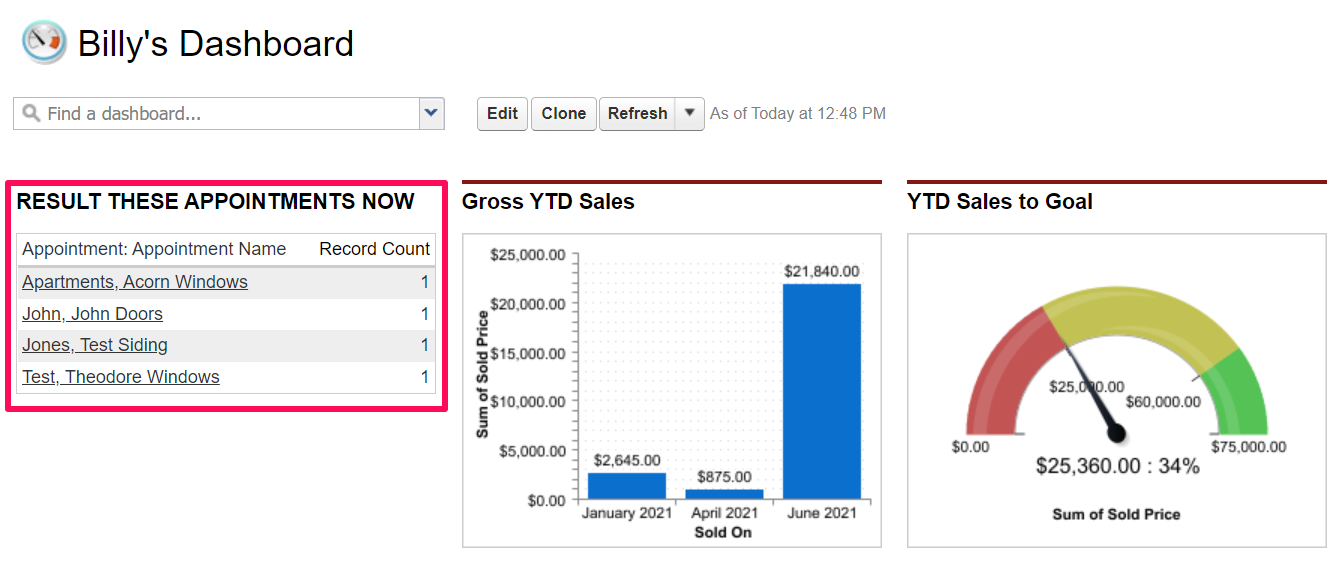
However, freezing the Sales Rep would prevent them from being able to access past Appointments and complete the Resulting process. Instead, improveit 360 recommends either a Report or Dashboard emailed to your Rep daily, showing the Appointments they have failed to Result. Here is an example of a Sales Rep-specific Dashboard showing just the Rep's Appointments that are not Resulted:
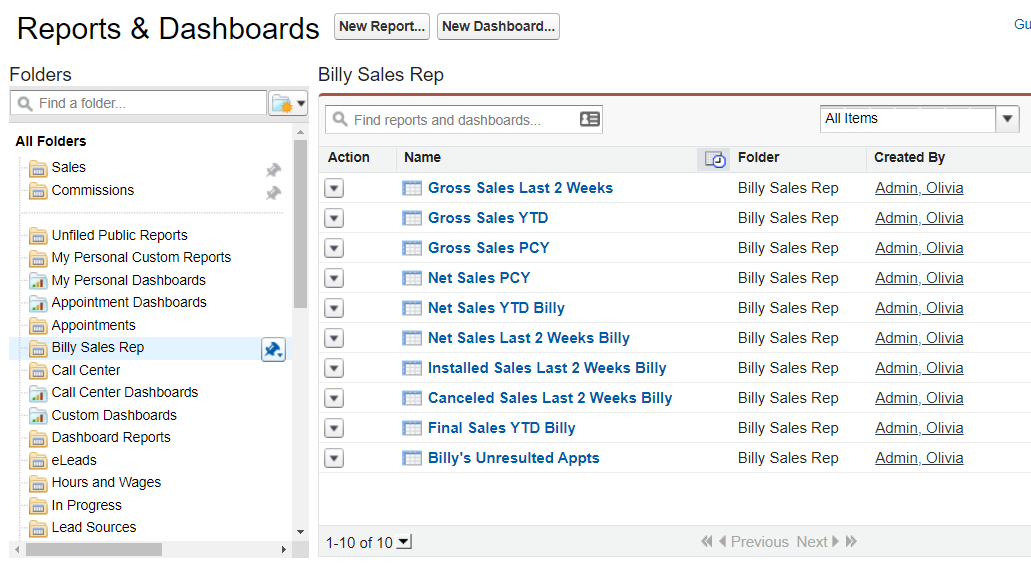
We recommend setting up a Report Folder dedicated to each of your Sales Reps, giving them access to only the Reports specific to them. In the example below, Billy Sales Rep can only see the 10 Reports within his Folder, information pertaining specifically to his Appointments, Sales and Projects:
 For more on Reports & Dashboards, I recommend checking out our Introduction to Building Reports and Dashboards Training.
Please sign in to leave a comment.
Comments
1 comment